


A workflow consists of a sequence of connected steps/stage. It is a depiction of a sequence of operations, declared as work of an organization.
- 1.7. Folder based Systematic ordering of each workflow stage
- Multi-Division WorkFlow
- Cost Confirmation Methods – “When Ordering” & “After Delivery”
- Smart mechanism to Accept or Hold Jobs
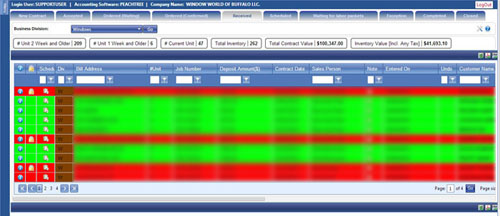
- Tracks Jobs in “Waiting Order Confirmation” status
- Tracks Jobs in “Confirmed Order” status
- Ease in taking actions on each process of Job like
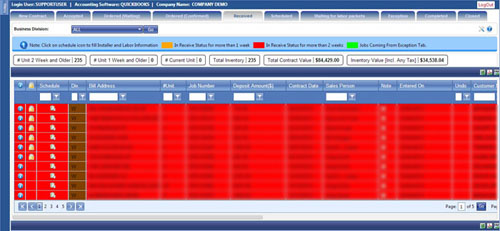
- Order Receiving, Waiting Install Schedule, Waiting Labor Packets & more
- Tracks “Mis-Measures” & “In-Complete” Installation
- Tracks Exceptions in Customer Deposits
- Use your existing parts and service lists
- Dashboard components and reports built to suit
- Deposit Module to manage Customer Deposits
- User roles and access privileges defined.
PROJECT MANAGEMENT
- Job creation and numbering (No duplication)
- Full process from accepting a job to closing with all payments collected
- Order confirmation for reliable ordering
- Install scheduling with Man Hours (Automatically calculated for each job by WinFlowTM)
- Print user defined labor packets automatically – reduce errors
- Track Mis-measured and partially completed job
- Search Jobs by Name, Number, Street, City, On-hold and many more fields. Work on job immediately
- Installer skill matching technology – match installers to the right job they can do.
- Tracking payments for sales reps & Installers – never over pay your reps!
- Job Charge Back & Extra Payments to sales reps and installers
- Mis-Measure window automatic charge back and tracking to sales rep or to person who measured the job
- Contract Change Commission automatic charge back and tracking
- Put job(s) on hold – this stops any work to be done until it is released, including payments
- Accurately track job cost at any time with a single click of a button
- Customer Care – Automatically send “Thank you” email / letter with payment receipt or contract copy
- Track job by who measured it with ability to schedule installer who measured it
- Now with Divisions
FINANCIAL
- A/R module makes sure the job is completely collected before closing
- Export data to Quickbooks in summary format
- Deposit Center – Makes sure each deposit is made and matches with your bank deposit
- Export data in Quickbooks in detail format with single file (Inventory items management)
- Accountants Module – Single location for all payment for Sales Reps, Window Invoices and Installer payment.
- Accountant Module – Sales Reps payment section contains the following:
– Commission payment or deductions due to change in contract for each job
– Track mis-measure charge back, manual charge back and extra payment
– Warning for overpayment on a job and/or when a job is in recession - Accountant Module – Window Invoice payment contains the following:
– Track each confirmation with payment to be made (calculates tax and deducts discount)
– Exposes incorrect invoice, parts invoice, mis-measure invoice by exclusion
– Tracks # windows order and makes sure no extra windows were ordered. - Accept partial or fully financed jobs – ability to track multiple finance companies
- Accountant Module – Installers payment section contains the following:
– Labor payment and/or deductions due to installer for each job
– Warns overpayment of job – above the negotiated labor with installer
SITUATIONAL AWARENESS
- Dashboard – Centralized work and information area (Instantly updated)
- Provides the following Alerts (user definable):
– Any installer having too many labor packets not turned in
– Any installer having a labor packet longer than a certain # days
– Any window(s) that were order that were not confirmed
– Any window(s) that were not received on the day they were suppose to arrive
– Drivers License that has expired or is going to expire
– Insurance & Workers Comp. that has expired or is going to expire
– Warn when window(s) in your warehouse have gone past 1 week or 2 weeks - TO-DO list provides process and time management for office staff
- Prioritized to-do list with the most important to the least in order forces most important work to be done first
- Owner can track the progress of what is happening in the office (real time) – nothing missed or forgotten!
- It will remind you to order, receive, schedule, confirm, etc. Saves you time with single click printing from dashboard.
- Provides the following Statistical (HEARTBEAT) Information about your company with drill down reports (UPDATED INSTANTLY):
– # Windows sold WTD, MTD, YTD – 2 year comparison
– Closing Percentage (%) WTD, MTD, YTD – 2 year comparison
– Price / Window WTD, MTD, YTD – 2 year comparison
– # windows / contract WTD, MTD, YTD – 2 year comparison
– Total Number of leads received WTD, MTD, YTD – 2 year comparison
– # windows installed WTD, MTD, YTD – 2 year comparison
– Sales volume for WTD, MTD, YTD – 2 year comparison